AAI-CoreOnceCore workspace
Module guide / Media Studio

Media Studio

Partly connected

Generates images from a text prompt through OpenAI Images and keeps creative briefs for video and audio.

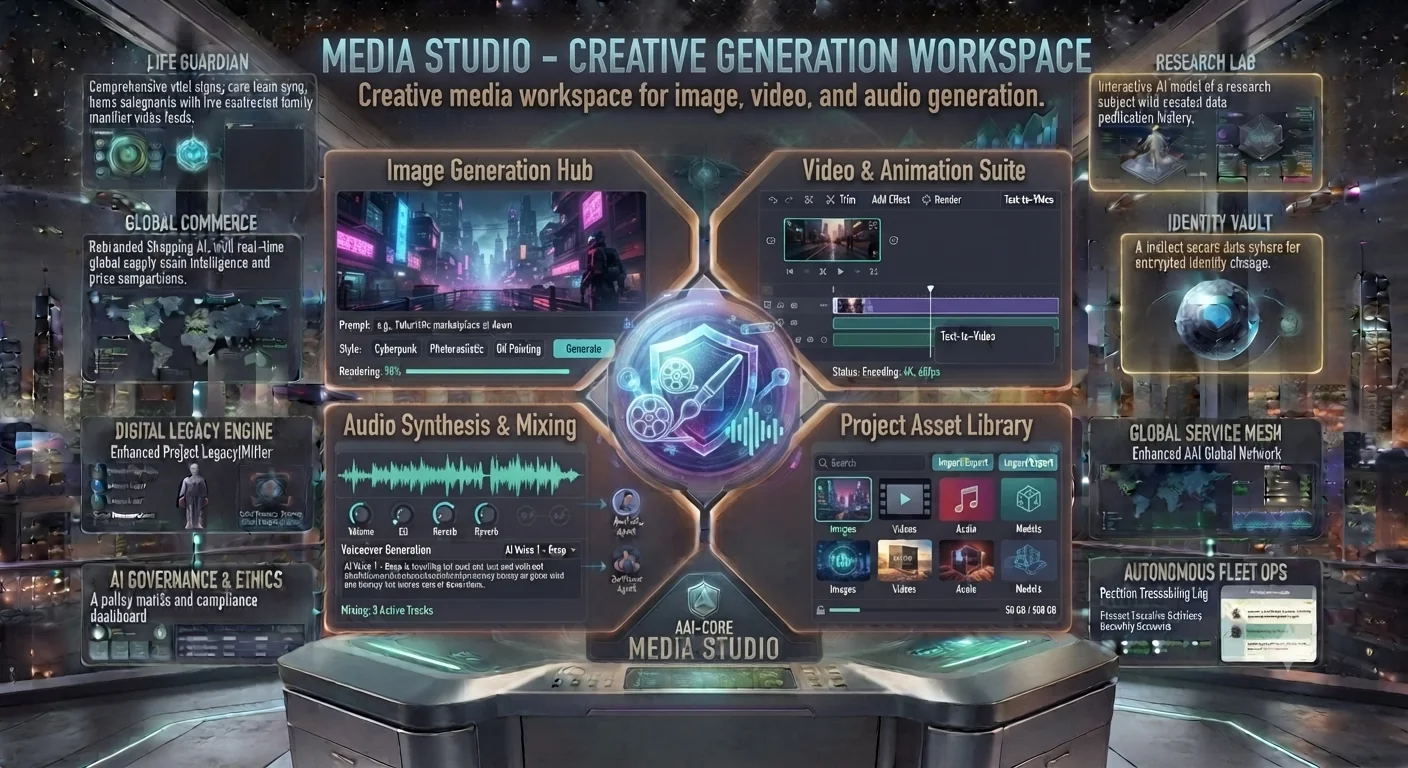
Media Studio concept: image generation hub, video suite, audio mixing and asset library
Concept preview of the interface. Text inside the image is artwork; the cards below describe what each area is for and what works today.

What each area of the interface does

Needs AI key

Image Generation Hub

Prompt, style choices and a generate button.

Concept

Video & Animation Suite

Timeline and text-to-video controls.

Concept

Audio Synthesis & Mixing

Voice-over and track mixing controls.

Available

Project Asset Library

Folders of images, video, audio and models.

How to use it

  1. Open Visuals, write a prompt and choose a style.
  2. Press Generate and wait for the image to render.
  3. Use Audio Lab to write narration or soundtrack direction as text briefs.
Good to know: Image generation requires an OpenAI key. Video generation and audio synthesis are not connected.