AAI-CoreOnceCore workspace
Module guide / Life Guardian

Life Guardian

Partly connected

Organises daily wellness routines, reminders and follow-ups, and keeps an escalation path ready for urgent events.

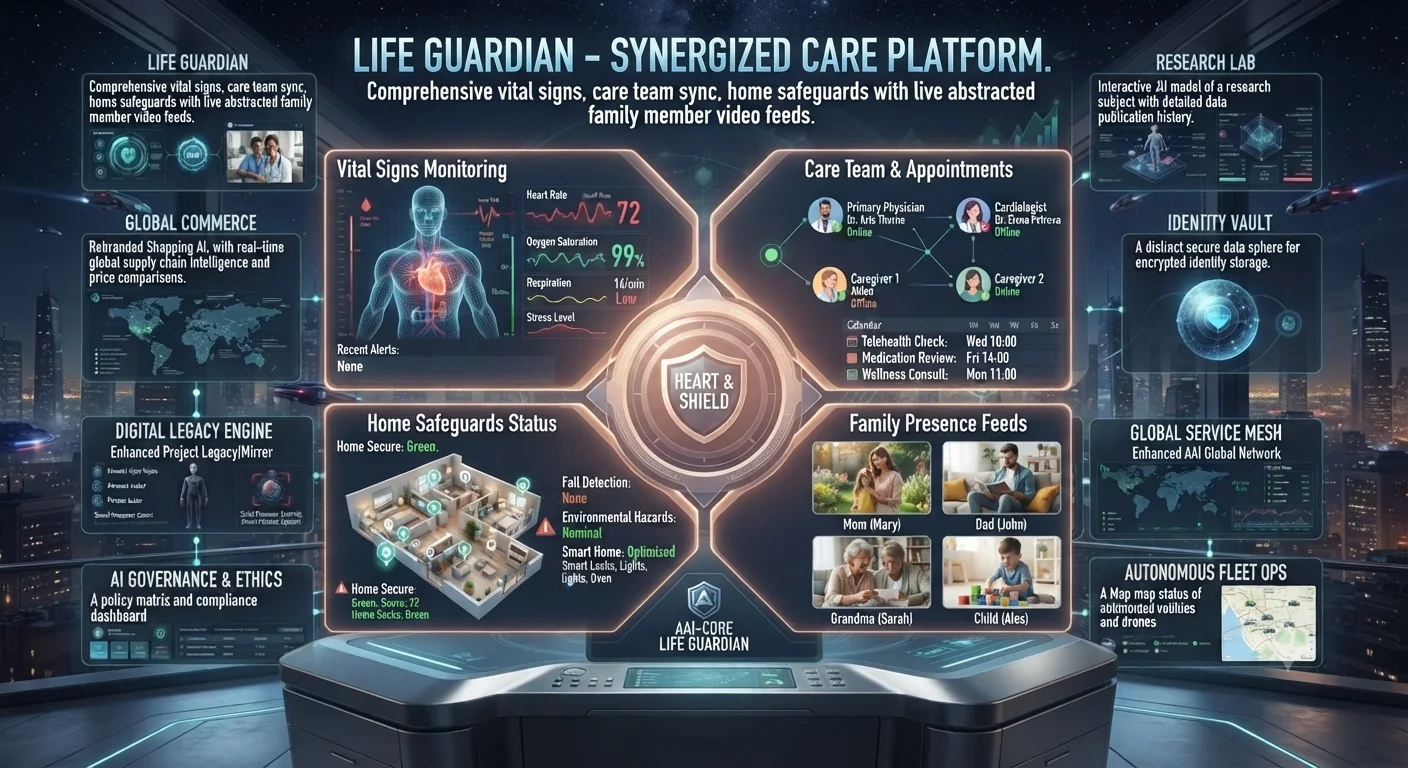
Life Guardian concept: vital signs, care team, home safeguards and family presence panels
Concept preview of the interface. Text inside the image is artwork; the cards below describe what each area is for and what works today.

What each area of the interface does

Concept

Vital Signs Monitoring

Heart rate, oxygen, respiration and stress trends with recent alerts.

Available

Care Team & Appointments

Doctors and caregivers with a shared calendar of checks and reviews.

Concept

Home Safeguards

Home status, fall detection and environmental hazard indicators.

Concept

Family Presence Feeds

Live family member feeds for presence and check-ins.

How to use it

  1. Open Life Guardian from the sidebar and start on Overview for the daily safety pulse.
  2. Use Care Grid to set routines, reminders and who gets notified.
  3. Use Emergency Lane to define what counts as urgent and where it escalates.
Good to know: Live vital-sign, smart-home and family-video feeds are not connected. Do not rely on this module for medical or emergency monitoring.